Chore Bear
A shared chore list for your family. Parents assign and approve. Kids earn points and choose their rewards.
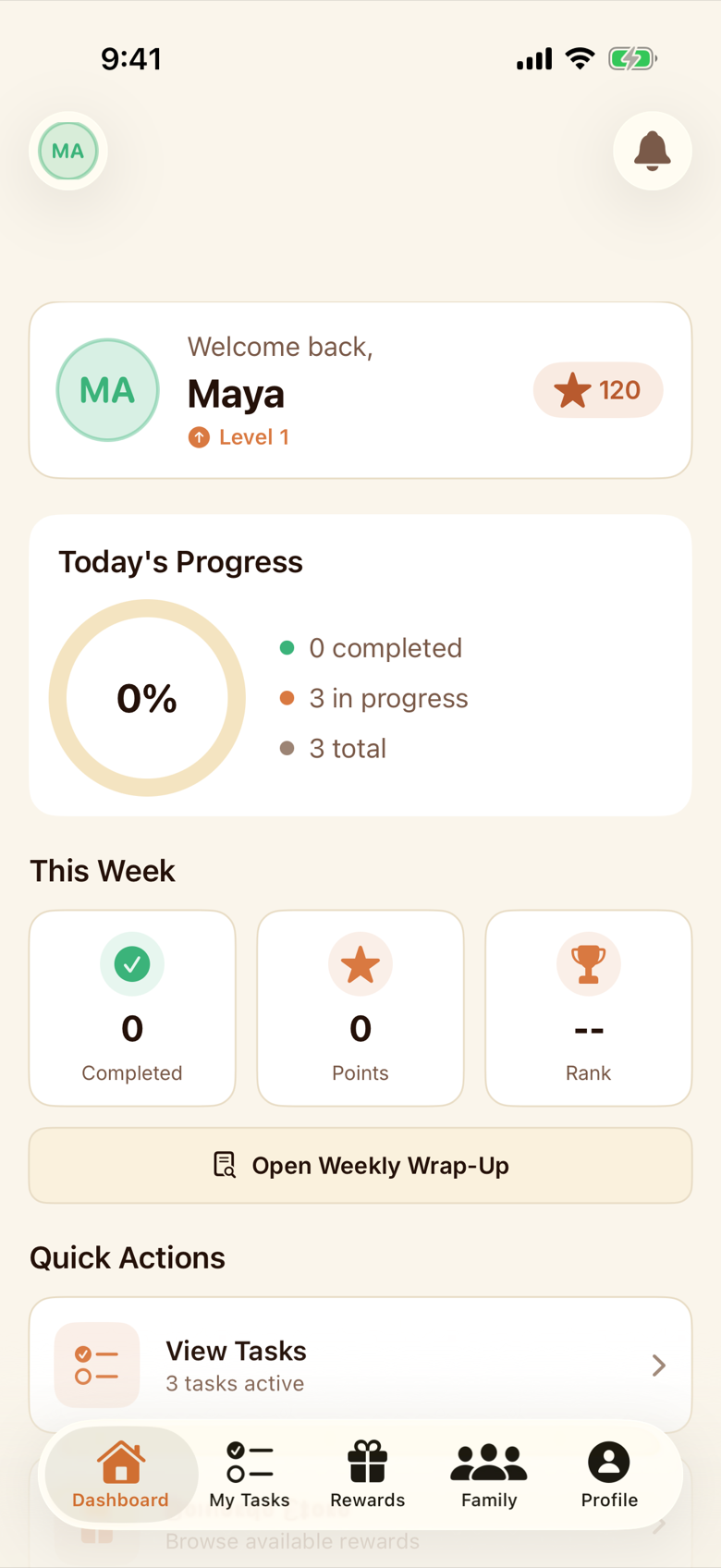
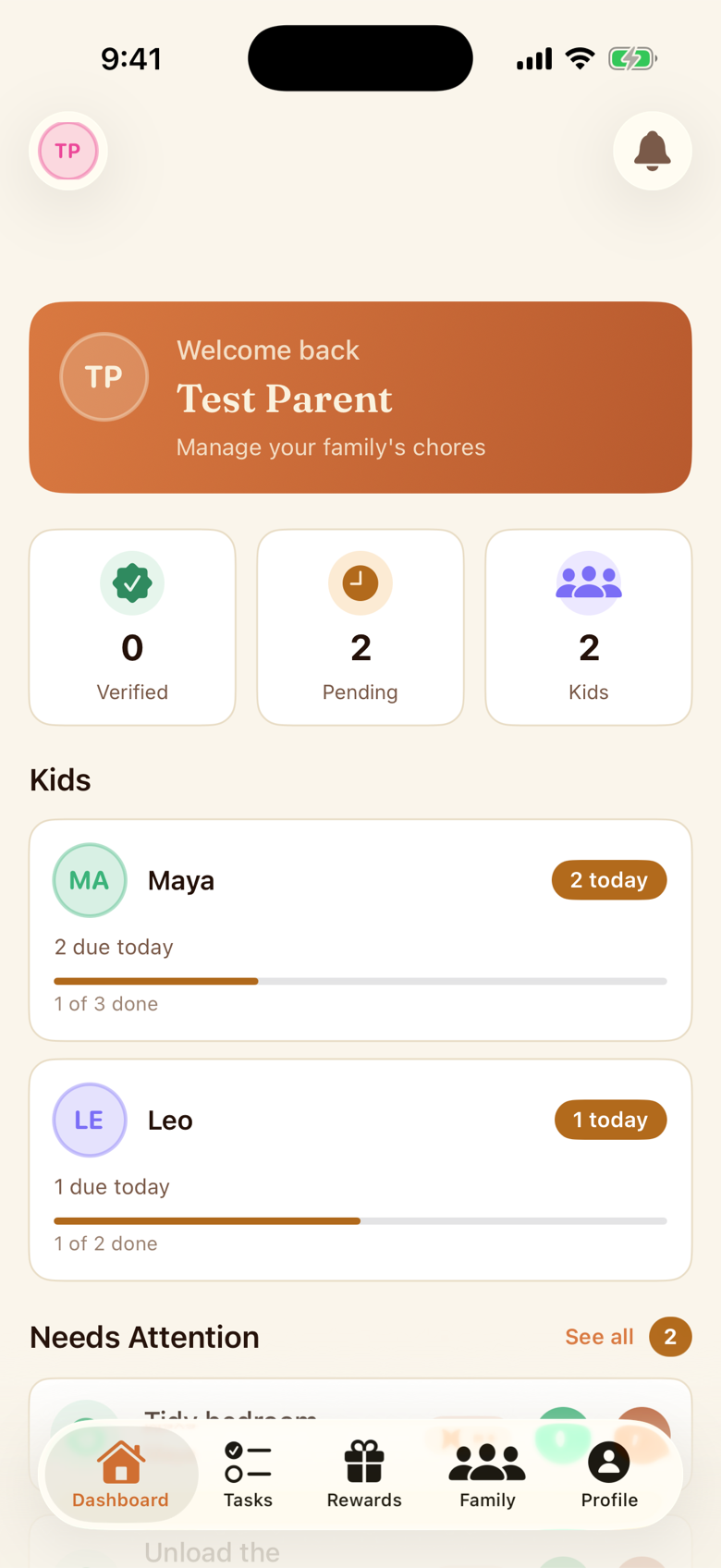
Everything a busy family needs,
nothing they don't.
Assign and verify
Parents create a chore and assign it. Kids accept, finish, and hand it back. Approve with a tap, or send it back for a do-over. Bulk approve when the whole list lands at once.
Rewards that stick
Build a catalog of privileges, treats, money, or a day out, each with a point cost. Kids claim, parents approve, and you can adjust points with a reason.
Rotations that share the load Den
Put trash night on a rotation and Chore Bear passes it between kids, daily, weekly, or monthly. Preview the schedule, pause it over a holiday, pick it back up.
Recurring and day-of-week schedules Den
Daily, weekly, or monthly, or just the days you pick (Monday and Thursday, say). Pause a chore, resume it, or skip a single occurrence.
Proof with a photo Den
Kids snap a photo to show a chore is done. Parents approve, or send it back for a do-over. The photo stays inside your family.
Chore zones and NFC tags
Group chores into Kitchen, Bathroom, Yard, or a zone you name. Put an NFC tag where the chore lives, and a kid taps a phone on it to mark it done.
Achievements, streaks, and analytics
Streaks and an achievements catalog from common to legendary for the kids. Charts for you: completion trends by kid, by category, by week, month, or year.
Missed chores, handled kindly
Pick a daily reset time. Anything unfinished moves to Missed, and a parent can waive it, take a few points off, or hand it to another kid.
Weekly wrap-up
A cozy summary at the end of the week: what got done, who kept a streak alive, what to plan for next week.
Up and running in a Saturday afternoon.
Set up your family
Create a parent account, then add each kid from the Family tab or share your join code so they can join. Quick start walks you through a few chores, a couple of rewards, and that code.
Add a few chores
Start from the template library or write your own. Sort them into zones, set points and priority, and pick who is responsible.
Celebrate the wins
Kids finish chores, you approve from the dashboard, points land. At the end of the week, a wrap-up tells you how it went.
A calm home screen, even on school nights.
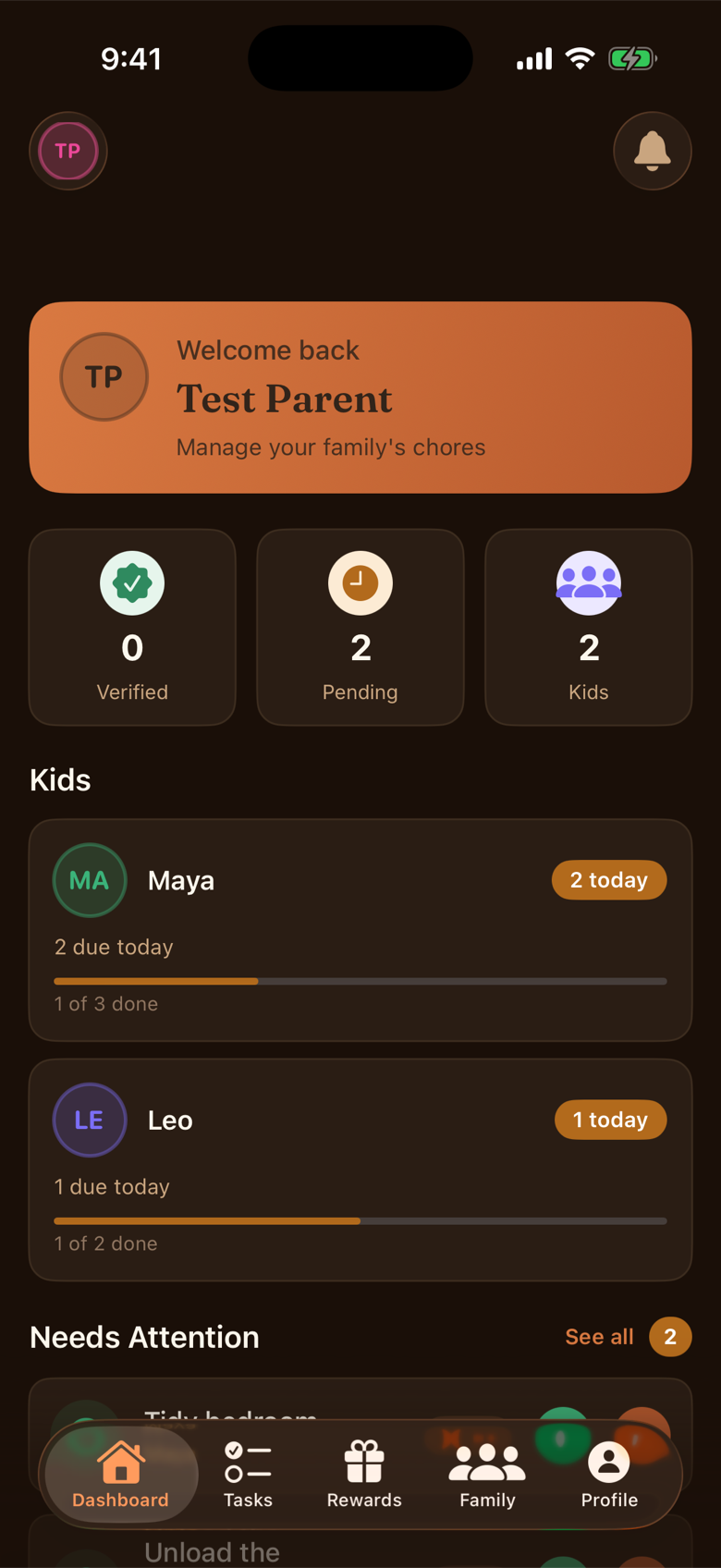
The dashboard shows a parent what is verified, what is pending, and who is doing what, without digging through notes or group chats. It follows your phone into dark mode.
- System, light, or dark appearance
- Face ID or Touch ID on iPhone and iPad, fingerprint or face unlock on Android
- Read chores and rewards offline (changes need a connection)
- One family across every device, iPhone, iPad, and Android together
The quick stuff.
Is Chore Bear free? +
Does it work on Android and iPad? +
How old do kids need to be? +
Do kids need their own phone? +
What are NFC chore tags? +
What happens when a chore is missed? +
Is my family's data private? +
What happens if I cancel? +
Can I delete my account and data? +
Bring your family a little closer to done.
Coming to iPhone, iPad, and Android. Public downloads are not available yet.